7 Ways to Get Professionally Printed Colouring Books From Your Photos
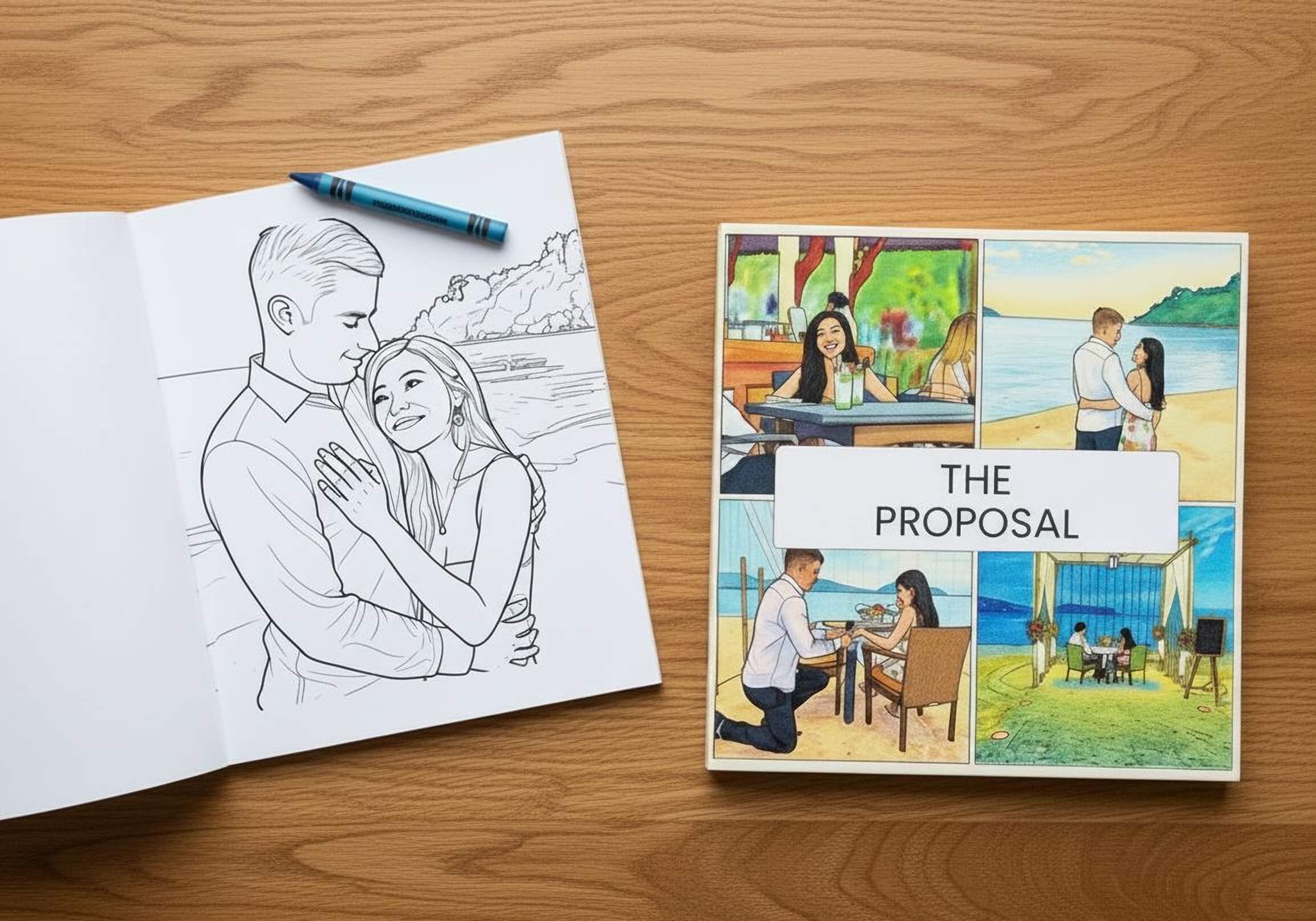
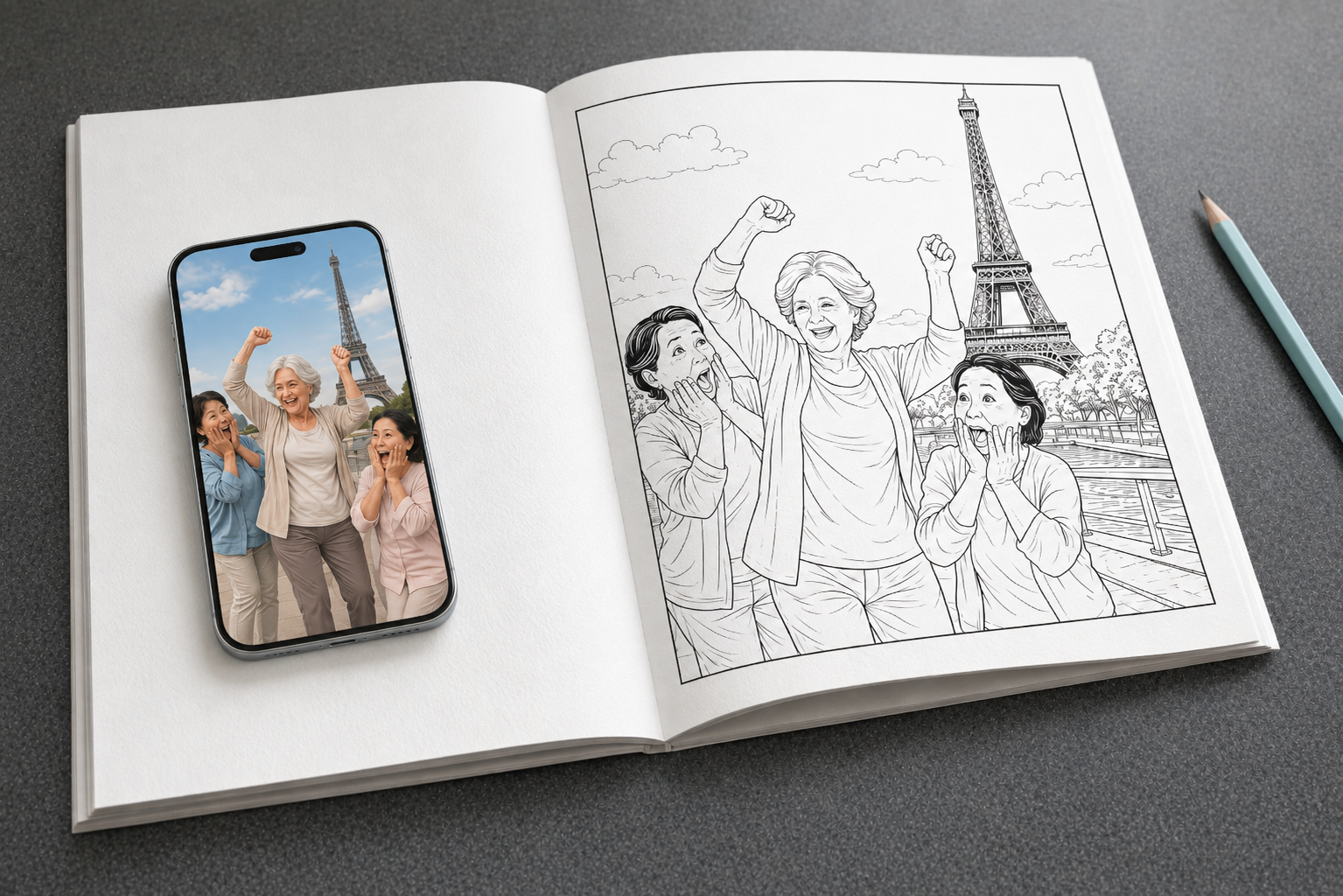
People want tangible gifts that feel personal - something more meaningful than a generic store-bought colouring book. In the past, creating a custom colouring book from your own photos meant hiring a designer, tracing images by hand in Photoshop, and coordinating with a printer who'd probably require a minimum order of 100+ copies. That's why the idea stayed a dream for most families.
Today, technology has changed the game. AI-powered tools and print-on-demand services can transform your wedding photos, kids' birthdays, pet portraits, and holiday moments into professionally bound colouring books - often from a single copy, delivered in less than a week. According to Mixam UK, converting photos into colouring book pages used to require professional illustration skills, but modern AI tools complete the process in seconds.
Here's how you can create your own, without needing design experience or bulk orders.
1. Use a Dedicated Photo-to-Colouring-Book Service
The simplest route is a service built specifically to turn photos into printed colouring books. These platforms handle the entire workflow: you upload images, the AI converts them to clean line art, you preview the result, and they print and ship the physical book.
EverFold is a leading option here. The platform's AI transforms uploaded photos into detailed line-art pages within seconds. You can choose different line art styles - kid-friendly with simpler outlines or more intricate designs for detailed colouring. The platform lets you preview your entire book before paying (a "Try Before You Buy" feature that removes the guesswork), and books typically arrive within 4-6 business days.
The printed product is professionally bound on high-quality paper designed to handle pencils, markers, and gel pens without bleed-through. Pricing includes a Summer Sale promotion, and customer reviews on Trustpilot frequently cite fast delivery and responsive support. Privacy is guaranteed: uploaded photos aren't used for AI training and are deleted after the book is created.
☀️ Summer Sale - 40% off! £20.00 £11.99
Printed and shipped from the UK 🇬🇧
Best for: Parents creating birthday gifts, couples turning wedding photos into keepsakes, or families making activity books for rainy days.
2. Hire a Freelance Illustrator on Fiverr
If you want more artistic control and a handmade touch, Fiverr connects you with freelance illustrators who'll manually trace your photos into colouring book pages. Prices start around £10 per illustration and vary based on complexity and turnaround time.
You'll send your photos, discuss your vision (line thickness, style, detail level), and receive digital line-art files. Once you've approved the artwork, you'll need to arrange printing separately - either through a local print shop or a print-on-demand service like Lulu or Mixam. Total turnaround can range from 3-7 days for illustration plus another 5-10 days for printing and binding.
Best for: People who want bespoke, hand-illustrated pages and don't mind coordinating illustration and printing as separate steps.
3. Convert Photos Yourself Using Photoshop
If you have access to Adobe Photoshop and enjoy DIY projects, you can turn photos into colouring pages manually. The most popular method involves opening your image, desaturating it (Shift+Ctrl+U), duplicating the layer (Ctrl+J), inverting the top layer (Ctrl+I), setting its blend mode to "Colour Dodge," then applying a Gaussian Blur filter to create line art. According to Adobe's 2018 tutorial, you can adjust line thickness using Levels and add a white background for clean printing.
Once you've created your pages, you'll need to export them as high-resolution PDFs and send them to a printer. This option requires time, technical skill, and trial-and-error to get clean results - especially for portraits with complex backgrounds.
Best for: Designers or hobbyists comfortable with Photoshop who want full creative control and don't mind a learning curve.
4. Use a Print-on-Demand Book Service
If you already have line-art files (from Photoshop, Fiverr, or another converter tool), print-on-demand services can print and bind a single copy. According to a 2026 comparison by Book Editing UK, Bookvault and Lulu are the top UK options for quality and flexibility.
Mixam specialises in high-definition printing for detailed illustrations. They offer wire-o binding (books lay flat - ideal for colouring) and use 100gsm uncoated or 150gsm silk paper. Pricing is competitive for short runs of 10-50 copies.
Doxzoo promises 1-3 day turnaround for rush orders and offers saddle-stitch or perfect-bound options. Pricing starts low for small quantities but requires you to supply print-ready files.
Best for: Self-publishers or small businesses ordering multiple copies of the same design, or anyone who already has clean line-art files ready.
5. Order from VistaPrint
VistaPrint offers custom stapled booklets and perfect-bound books but requires you to upload print-ready files. You won't get AI conversion or line-art generation - this is strictly a printing service. Stapled booklets start at around £60 for 100 units, though single-copy pricing isn't advertised prominently.
Turnaround ranges from 2-10 business days depending on the shipping option you select. According to VistaPrint's 2026 shipping page, express delivery takes 4 business days and costs £5.95, whilst rush delivery (2 business days) costs £10.95. Free delivery is available on orders over £40.
Best for: Bulk orders (50+ copies) for events, businesses, or resellers who already have finished files and want competitive volume pricing.
6. Use a Free Online AI Converter, Then Print Locally
Several websites let you upload photos and convert them to colouring pages for free. You download the line-art PNG or PDF, then print it yourself or take it to a local print shop.
Tools like Colorify AI and ColorBliss offer instant, browser-based conversion with style presets (simplified, full line art, no background). Most free tools limit you to one or two conversions before requiring signup or payment. Output quality varies - some produce clean lines suitable for printing, whilst others generate fuzzy or overly simplified results.
After downloading your pages, you'll need to coordinate binding. High-street print shops (like Ryman or Staples) can spiral-bind or comb-bind your pages, typically costing £5-£15 depending on page count and cover options.
Best for: Budget-conscious users creating a small, one-off book who don't mind assembling it themselves.
7. Commission a Local Print Shop for Full Custom Service
Many local print shops offer custom book printing and can work with you to convert photos, adjust layouts, and bind finished books. You'll meet in person, discuss your vision, supply photos (on USB or via email), and review proofs before final printing.
Costs vary widely depending on location, page count, and binding quality. Professional-grade colouring books with 80-100gsm uncoated paper and wire-o or perfect binding typically cost £15-£40 per book for a single copy, with discounts for multiple copies.
Turnaround is usually 5-10 business days. The main advantage is face-to-face service: you can see paper samples, discuss adjustments, and get expert advice.
Best for: People who value in-person service, want to support local businesses, and prefer to see physical samples before committing.
What to Consider When Choosing a Printing Method
Not all options deliver the same experience. Here's what separates a disappointing printout from a keepsake you'll treasure.
Paper Quality and Weight
Professional colouring books use 80-100gsm uncoated paper to prevent marker bleed-through. According to Mixam's guide to book paper, anything below 80gsm feels flimsy and allows colour to seep through to the reverse side, ruining the next page. For children's books or activity pages, 100gsm uncoated offers a good balance of thickness and cost.
Binding Style
Saddle-stitch (stapled) binding is cost-effective for thin books (up to 84 pages) but won't lay flat. Wire-o or spiral binding lets books sit open on a table, making them easier to colour. Perfect binding (glued spine) looks professional but requires more pages (typically 40+) and won't stay flat without cracking the spine.
Preview Before Printing
Many services print your book before you've seen the final result. EverFold's preview feature lets you scroll through every page and adjust images before paying - this eliminates surprises and wasted money on reprints.
Turnaround Time
If you're creating a last-minute birthday gift, speed matters. Dedicated photo-to-colouring-book services typically ship within 4-6 days. Freelance illustrators may take 3-7 days just for artwork, then you'll need to arrange printing. Print-on-demand services range from 1-10 days depending on binding complexity and shipping method.
Privacy and Photo Rights
Some online tools explicitly state they don't use your photos for AI training or marketing. Others remain vague. If privacy matters (especially with children's photos), choose a service with a clear policy. EverFold, for example, states uploaded photos are deleted after your book is created and aren't used to train AI models.
Creating a Professionally Printed Colouring Book From Your Photos Is Easier Than Ever
A decade ago, custom colouring books required design skills, expensive software, and bulk print runs. Today, you can upload photos from your phone, preview a finished book in seconds, and receive a professionally printed, bound product within a week - often from a single copy.
Whether you want the simplicity of an all-in-one service like EverFold, the creative control of hiring a Fiverr illustrator, or the budget-friendly option of a free converter and local print shop, there's a solution that fits your timeline, skill level, and budget. The hardest part now is choosing which photos to turn into pages.
Ready to create your own?
Start your photo colouring book now - preview every page before you pay.
About the Author
Dr Jon Baker is the CEO and founder of EverFold. With a PhD in Electronics Engineering and 15 years of experience building software, Jon has combined his technical expertise with a passion for creating innovative products. He created EverFold to make it easy for anyone to transform their photos into beautiful, professionally printed colouring books.